Mechanic link
One QR code. One tidy report. No invoice scavenger hunt.
Your mechanic opens a link on their phone, with no app and no account. They mark what they did and type what it cost. You get a clear report in your records, with every fee and the tax in one place.
SAMPLEMade-up sample. The 2019 Honda Accord, its mileage, the shop and every number in the pictures are invented for this page.
How it works
Four steps, one of them yours.
- Tap Mechanic link.It sits beside the Maintenance heading. One tap shows a QR code, with Share QR code, Share link and Download PDF under it.
- Your mechanic opens it.They scan the code or open the link in any browser, with no app and no account.
- They fill it in.Mark each item, type the parts, the rate and the hours, and the page does the math. Then they send it.
- You get the report.A notification, an updated schedule and odometer, and the shop’s report saved with your documents.
Real screens, made-up 2019 Honda Accord
Swipe or scroll for more
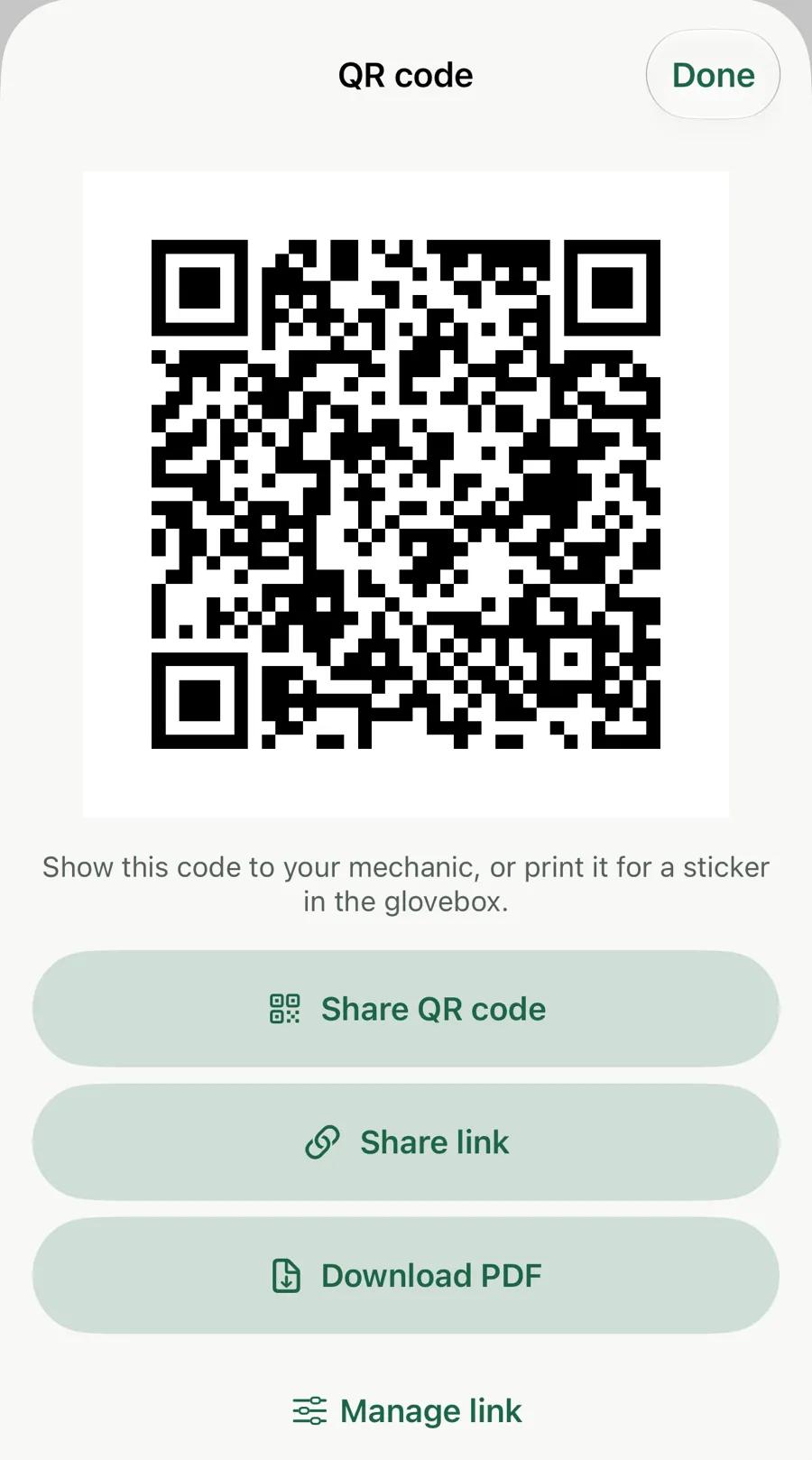
1In your app One tap. One QR code. Show it, share it or print it. 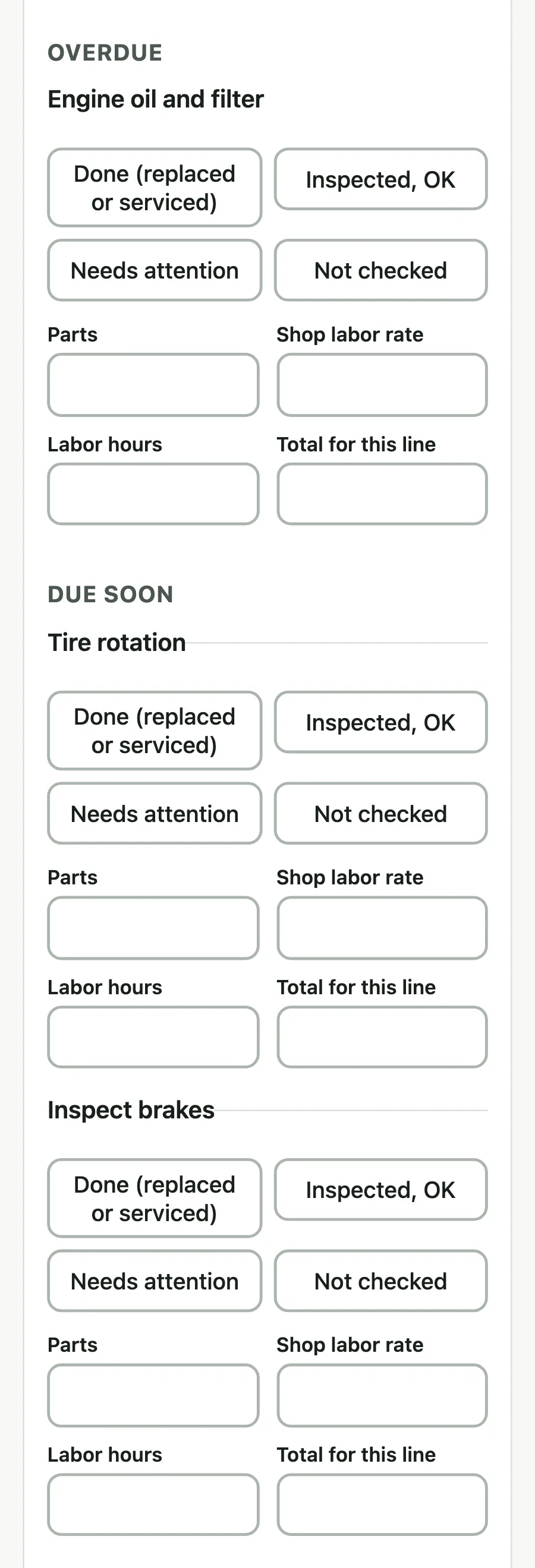
2On your mechanic’s phone They see what is Overdue, Due soon and Coming up on your 2019 Honda Accord, with boxes for the prices on every line. 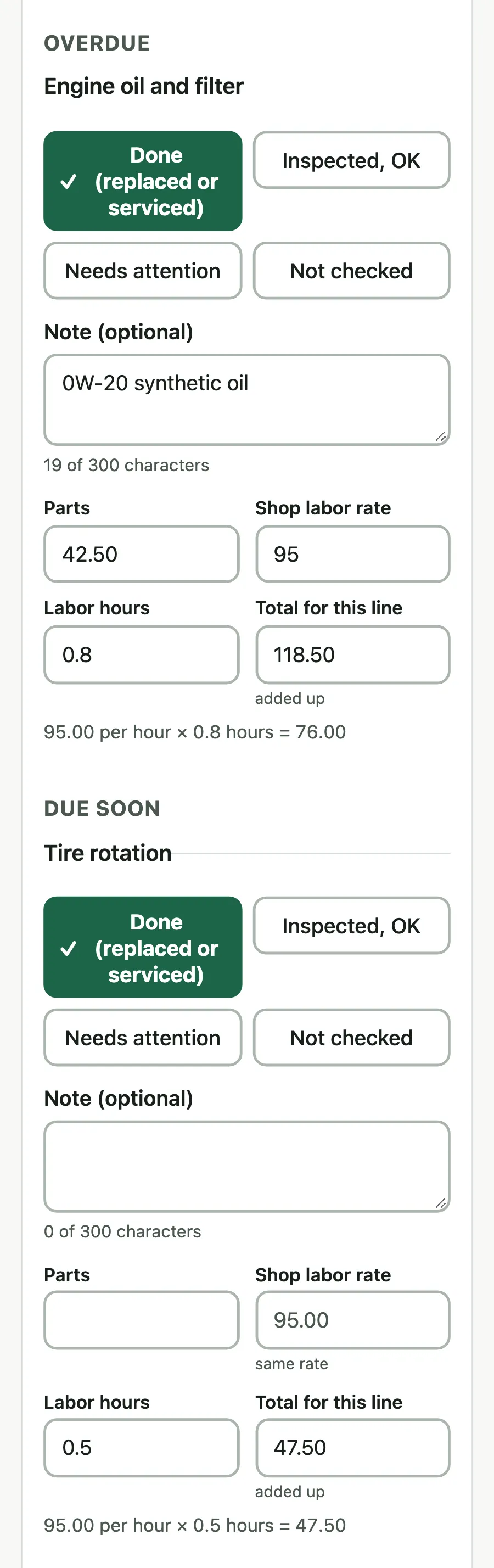
3On your mechanic’s phone Parts, shop labor rate, hours. The page does the math, so nobody needs a calculator. 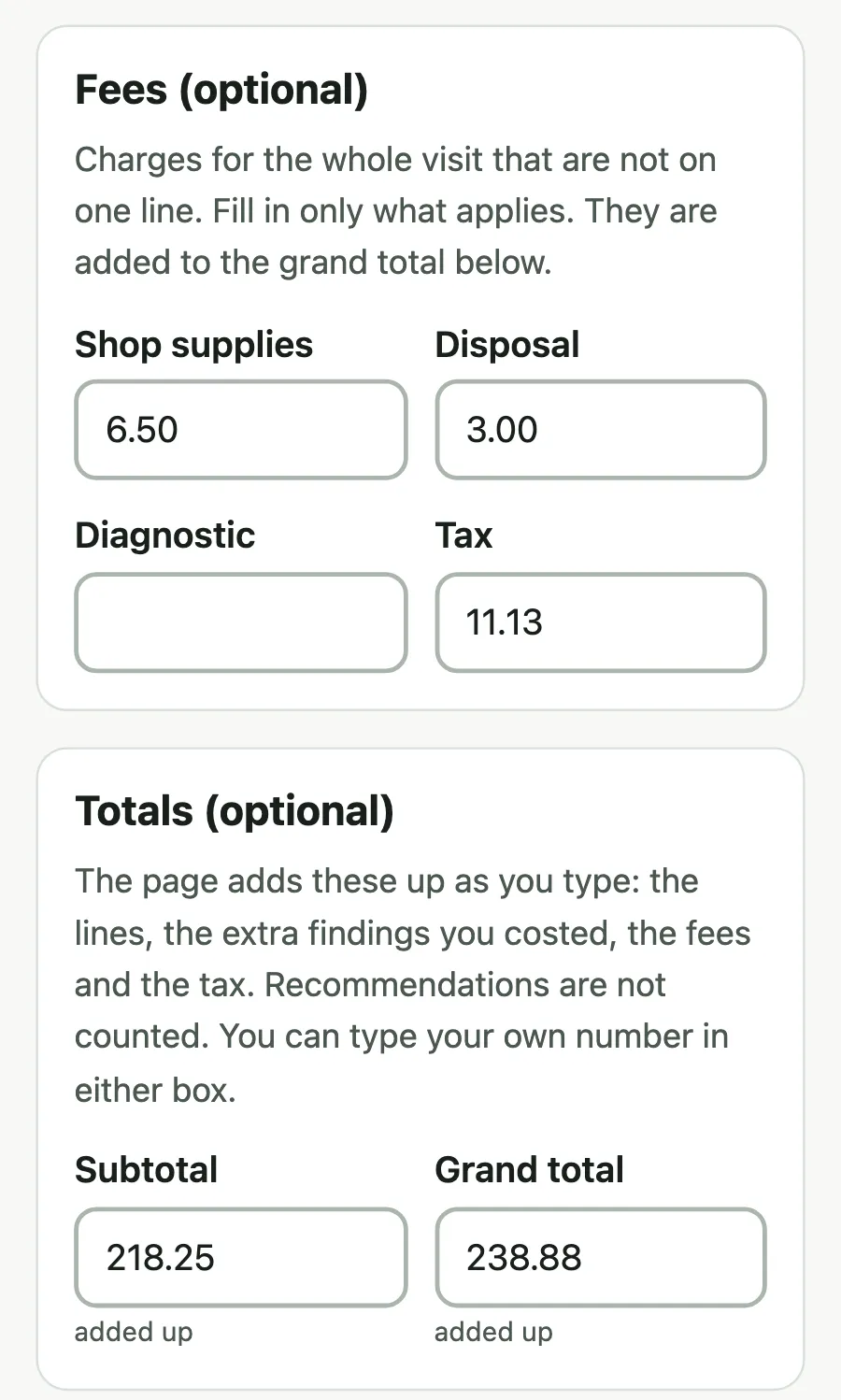
4On your mechanic’s phone Fees and tax go in one block. Subtotal and grand total add up as they type. 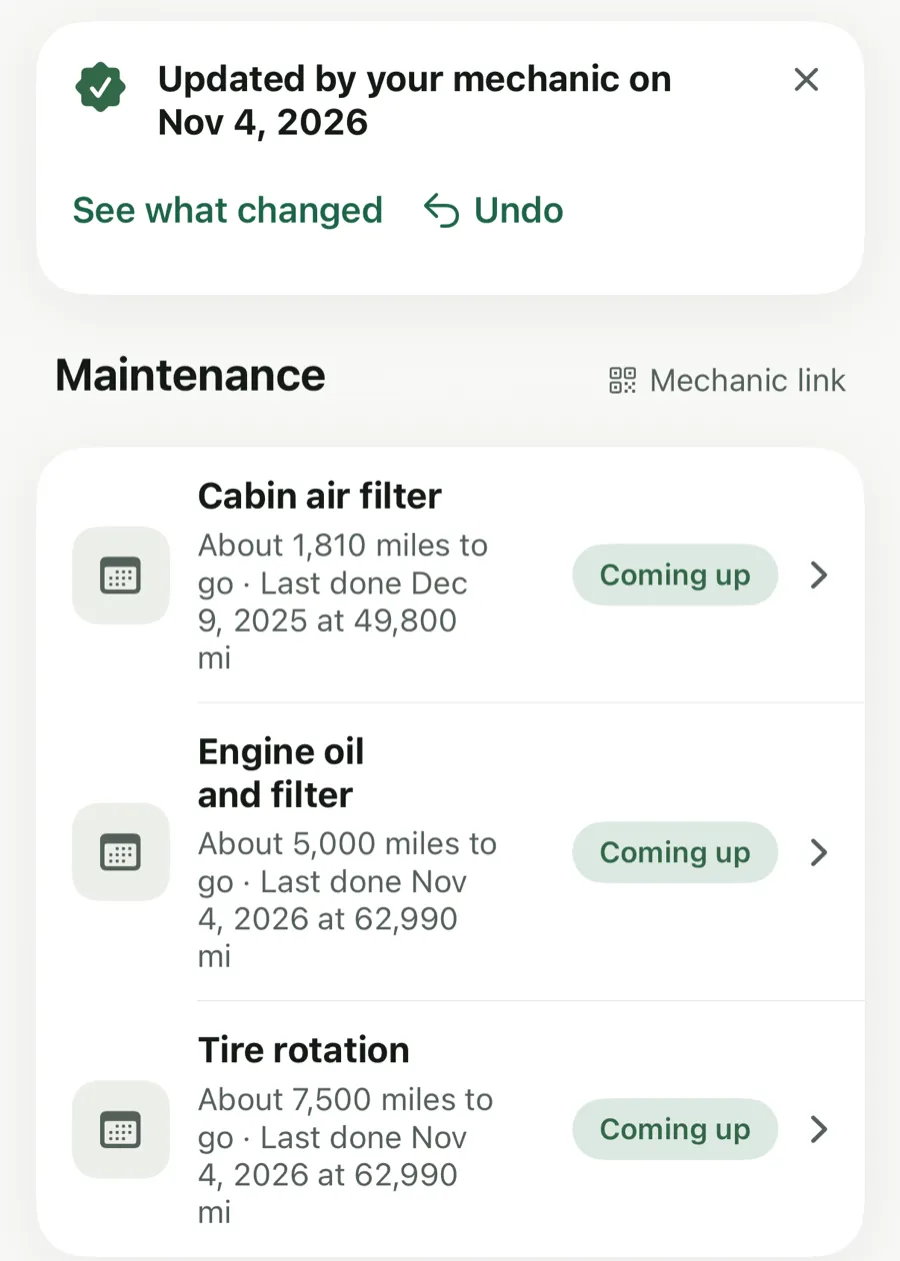
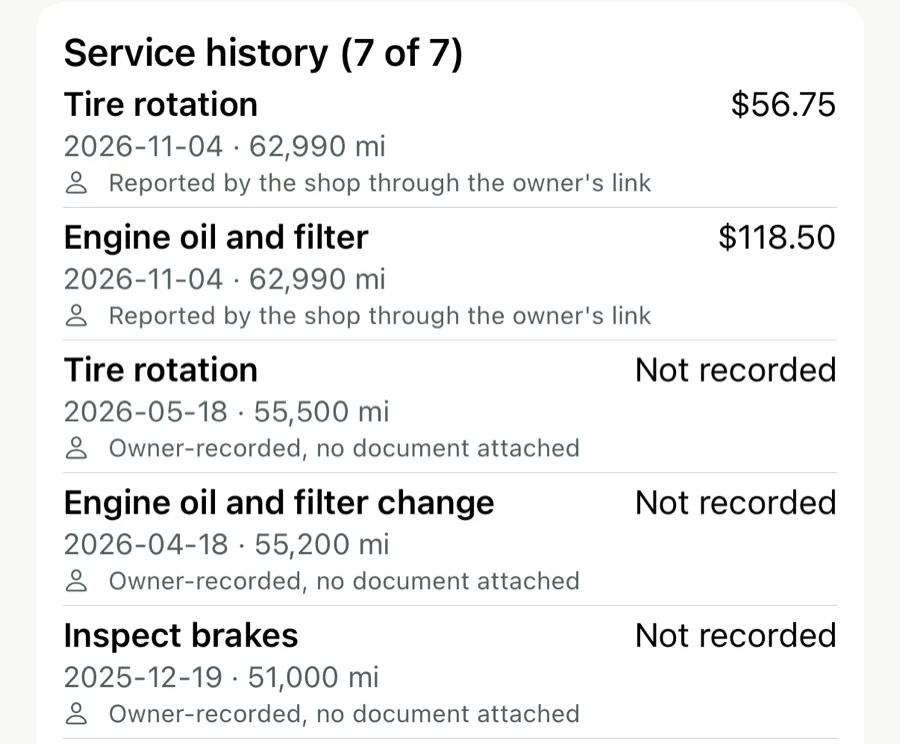
5In your app You get a notification, and your schedule is already updated. 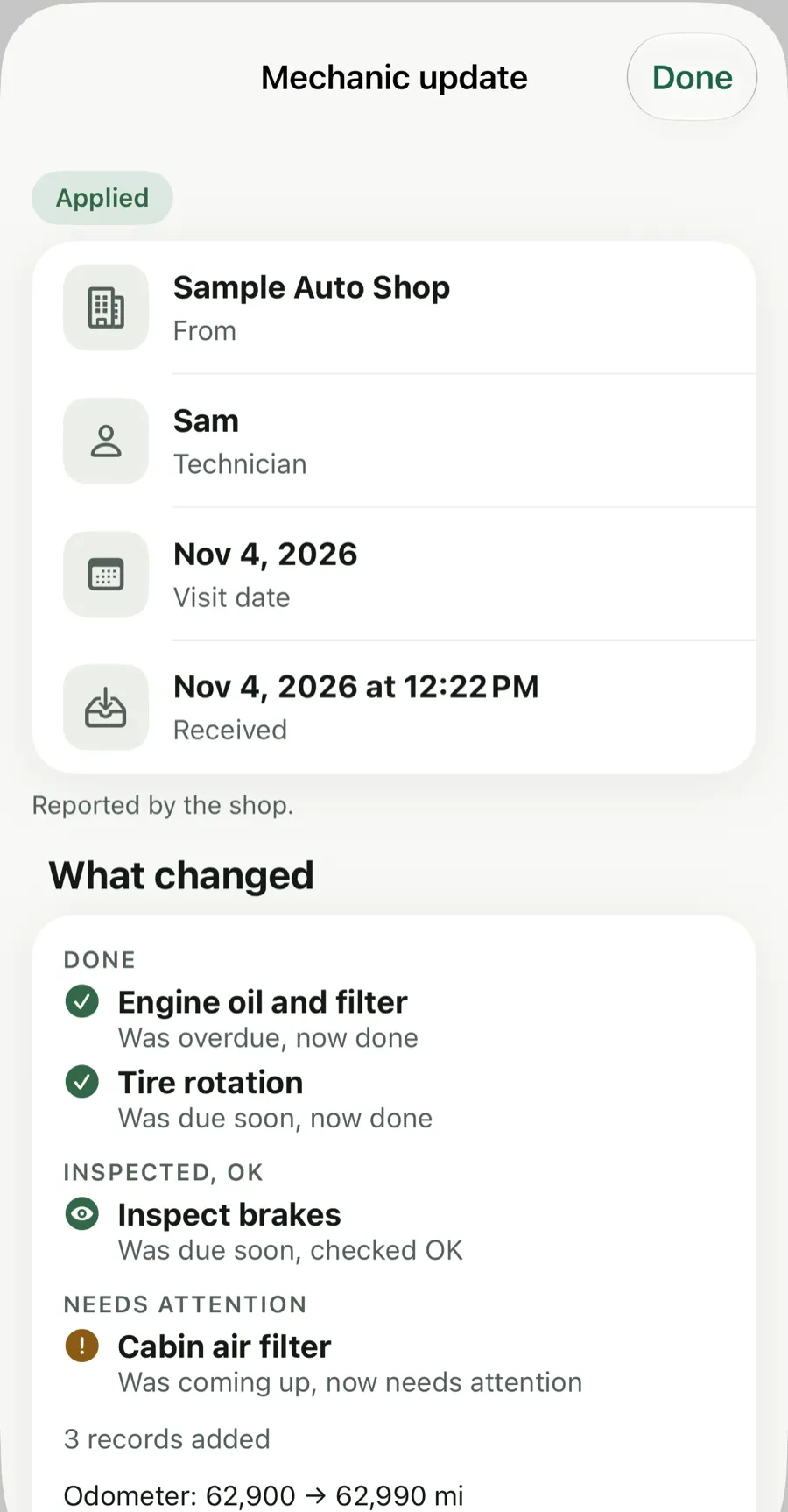
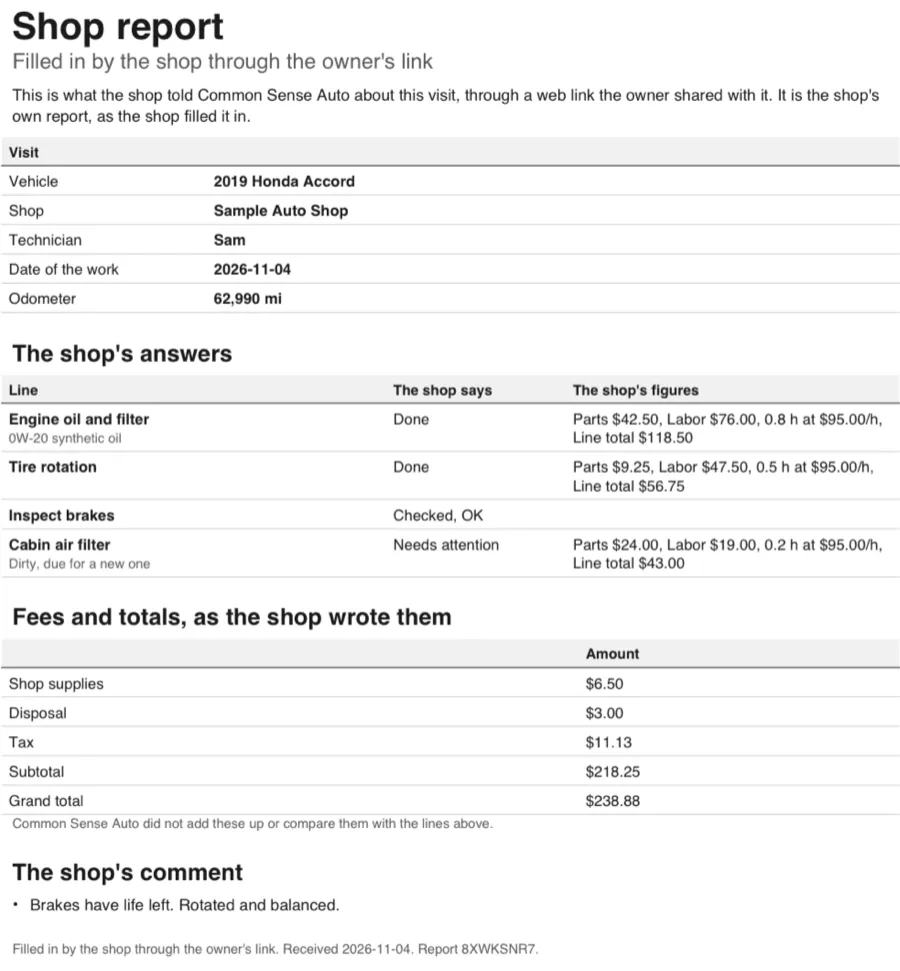
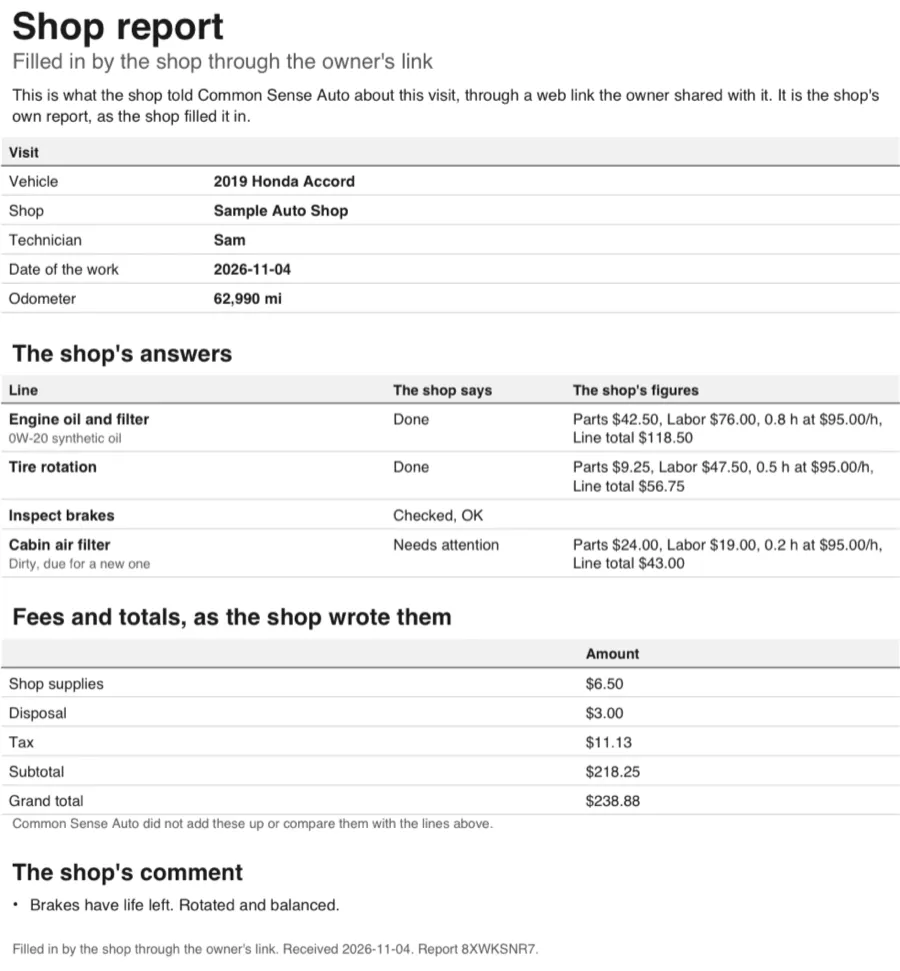
6In your app See what changed, line by line. It says it is the shop’s report.
Easy for your mechanic
Their phone does the math.
- They see what is dueOverdue, Due soon and Coming up for your car, then items with no record yet and seasonal checks.
- They tap an answerDone, Inspected OK, Needs attention or Not checked, with a note if they like. Anything they skip stays unanswered.
- They type three numbersParts, the shop labor rate (per hour) and the labor hours. The page multiplies the rate by the hours, adds the parts and shows the line’s total. A rate typed once is offered on the other lines.
- Fees and tax go in one blockShop supplies, disposal, diagnostic and tax. The subtotal and the grand total add up as they type, and they can still overwrite either one.
- They can fix a slipThe link reopens, and they can edit their report for up to 14 days.
Clear for you
What was done. What it cost. One page.
- What was doneEvery line with its answer, Done, Inspected OK or Needs attention, and the shop’s note.
- What it costParts, labor shown as hours at the shop’s rate, and the line total, next to the work it belongs to.
- Fees and tax in one placeShop supplies, disposal, diagnostic and tax sit together, then the subtotal and the grand total. They are not scattered across the page like on a traditional mechanic shop invoice.
The app remembers the shop’s labor rate from the report and starts your repair estimate with it. A rate you typed yourself wins, and with none, the estimate uses a typical rate for your ZIP code when it has one.
The report you keep
The shop’s figures, in the shop’s order, nothing scattered.
What happens next
Then the app does the paperwork.
- You get a notification.Tap it and the report’s own screen opens.
- Most reports go straight in.Your maintenance schedule and odometer update. See what changed shows it line by line, and Undo takes it back from the vehicle screen.
- An odd report waits.A mileage far too high, for example, opens as a Quick check. You choose Apply or Discard.
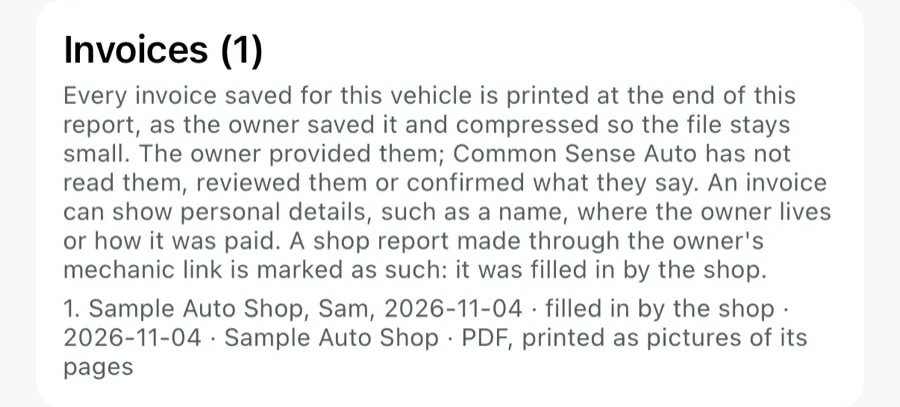
- It is saved as a document.A PDF in your vehicle’s Documents, named after the shop, the mechanic and the date. The Pre-sale report lists it with the same name.
- Undo and Delete do different jobs.Undo removes the records the report made. Delete in Documents removes the PDF only.

Real screens, made-up 2019 Honda Accord
Swipe or scroll for more
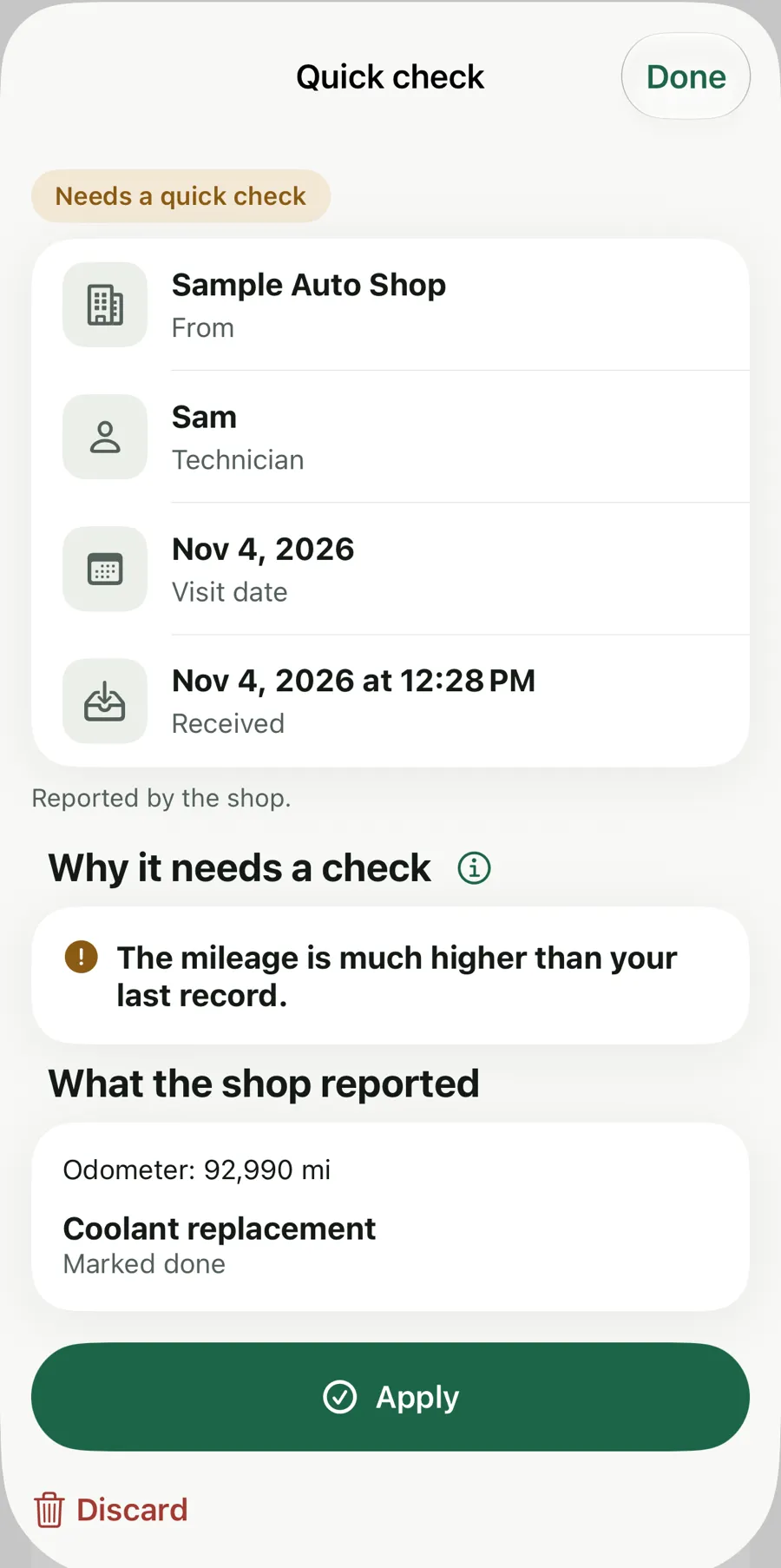
1In your app Something looks odd? The report waits for your Apply or Discard. 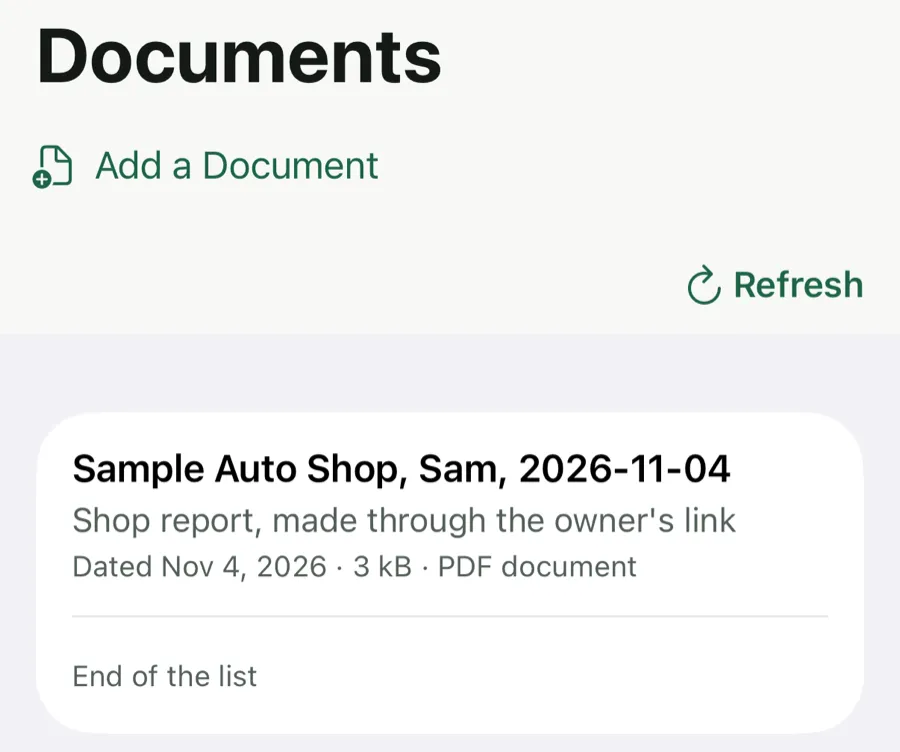
2In your app Saved with your Documents, named for the shop, the mechanic and the date. 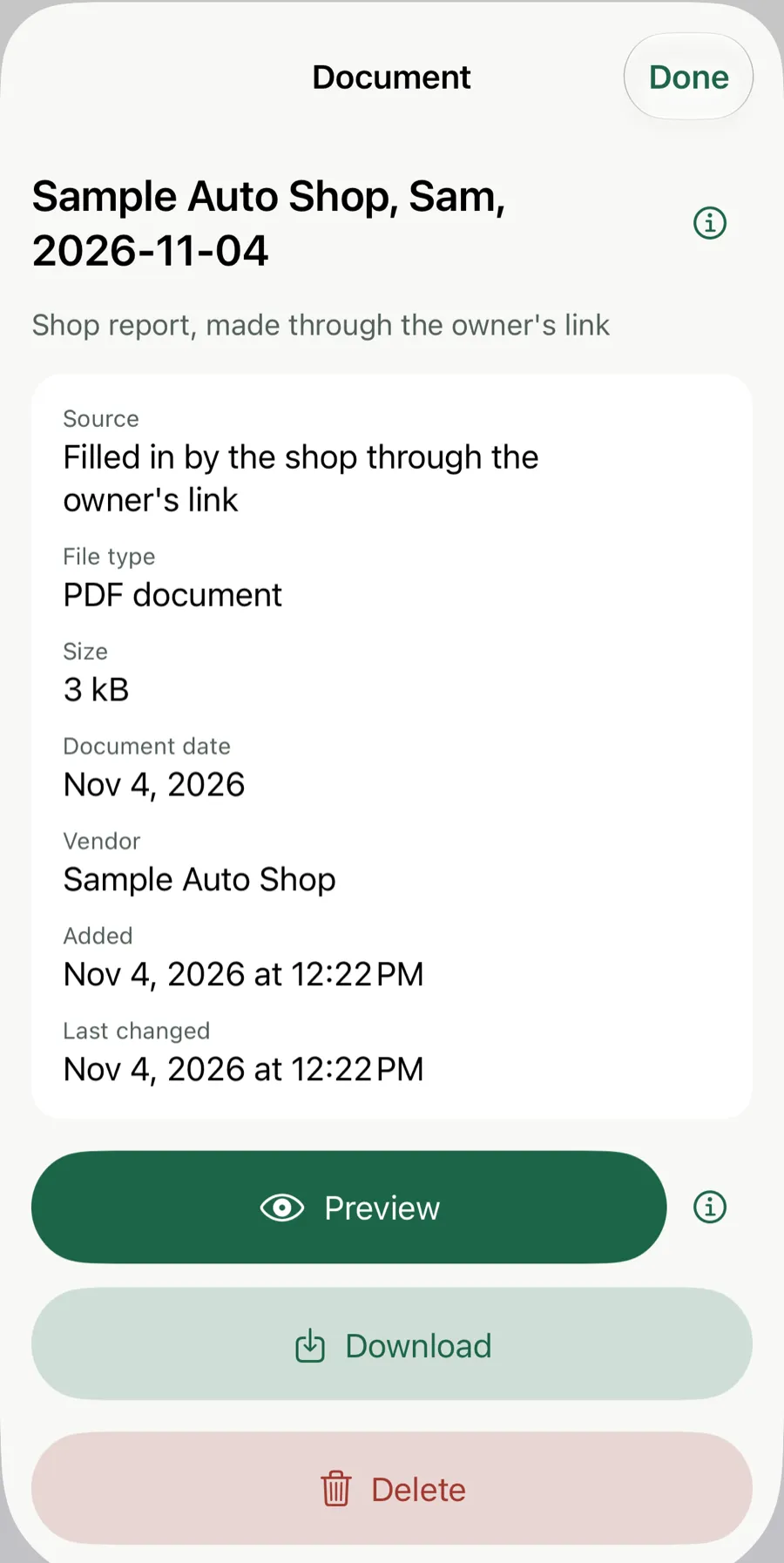
3In your app Open it any time. Delete removes the PDF and nothing else.
You stay in control
Nothing lands without a way back.
- Pause, replace or stop the link at any time. The Manage link button on the QR screen opens its settings.
- A new link lasts 12 months, and you can change that. A one-visit option closes the link to new visits after one report.
- “This wasn’t my mechanic” undoes the latest update and makes a new link in one step.
- The mechanic’s page shows only your car’s year, make and model and the checklist. It never shows your VIN, your name or other personal details.
- The report is the shop’s own, and it says so: Reported by the shop, Filled in by the shop.
Real screen, made-up 2019 Honda Accord
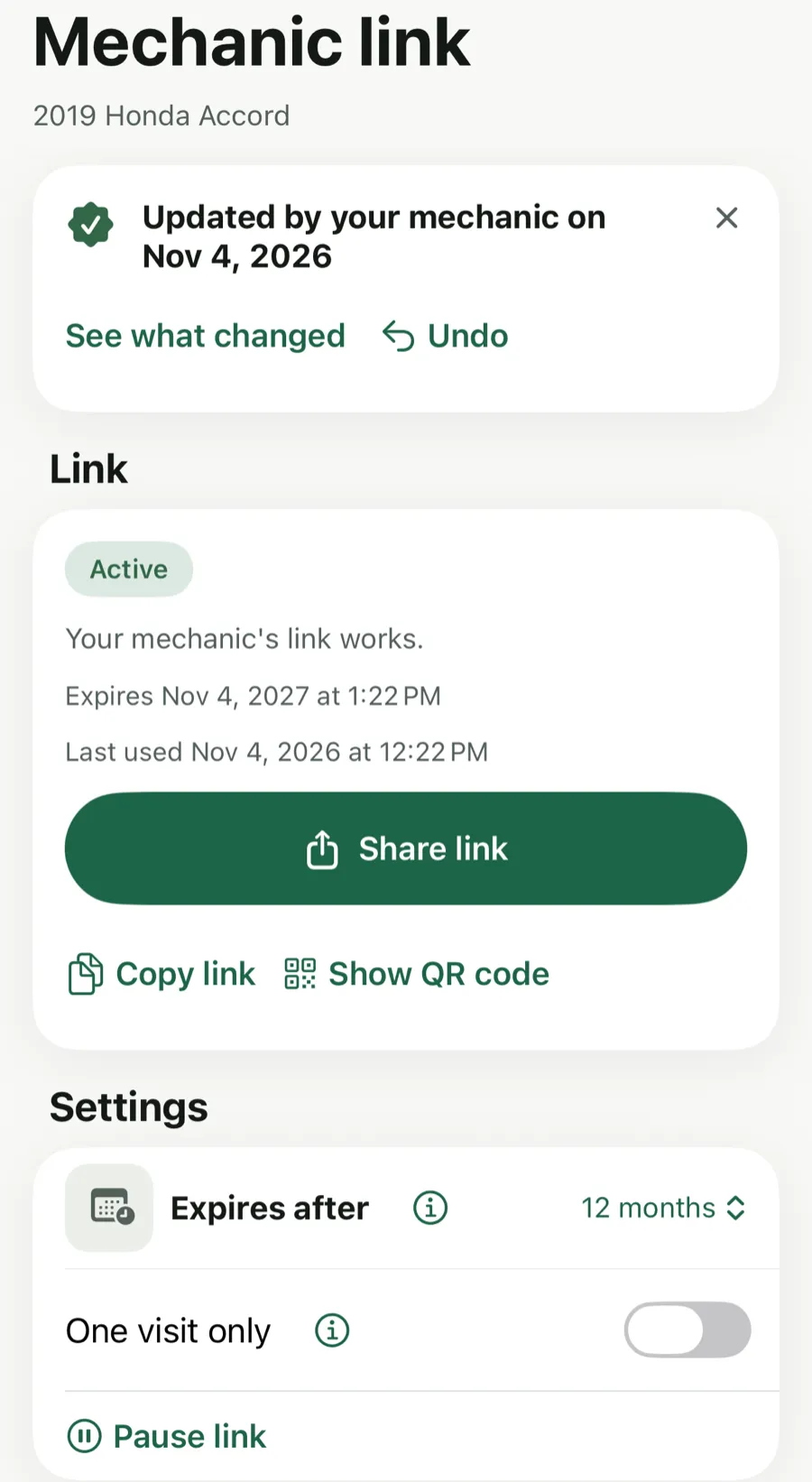
1In your app Pause, replace or stop the link whenever you like.
Honest about what it is
A list to work from, not a verdict on your car.
- The checklist comes from your records and general maintenance guides. It is not a diagnosis, and the app does not know your car’s condition.
- The amounts are whatever the shop types in. The report shows them as the shop’s.
- If an item is overdue and the app has no service record for it, the checklist says so and asks your mechanic to verify. It does not make up a date.
- The checklist is in English for now.
The paper way
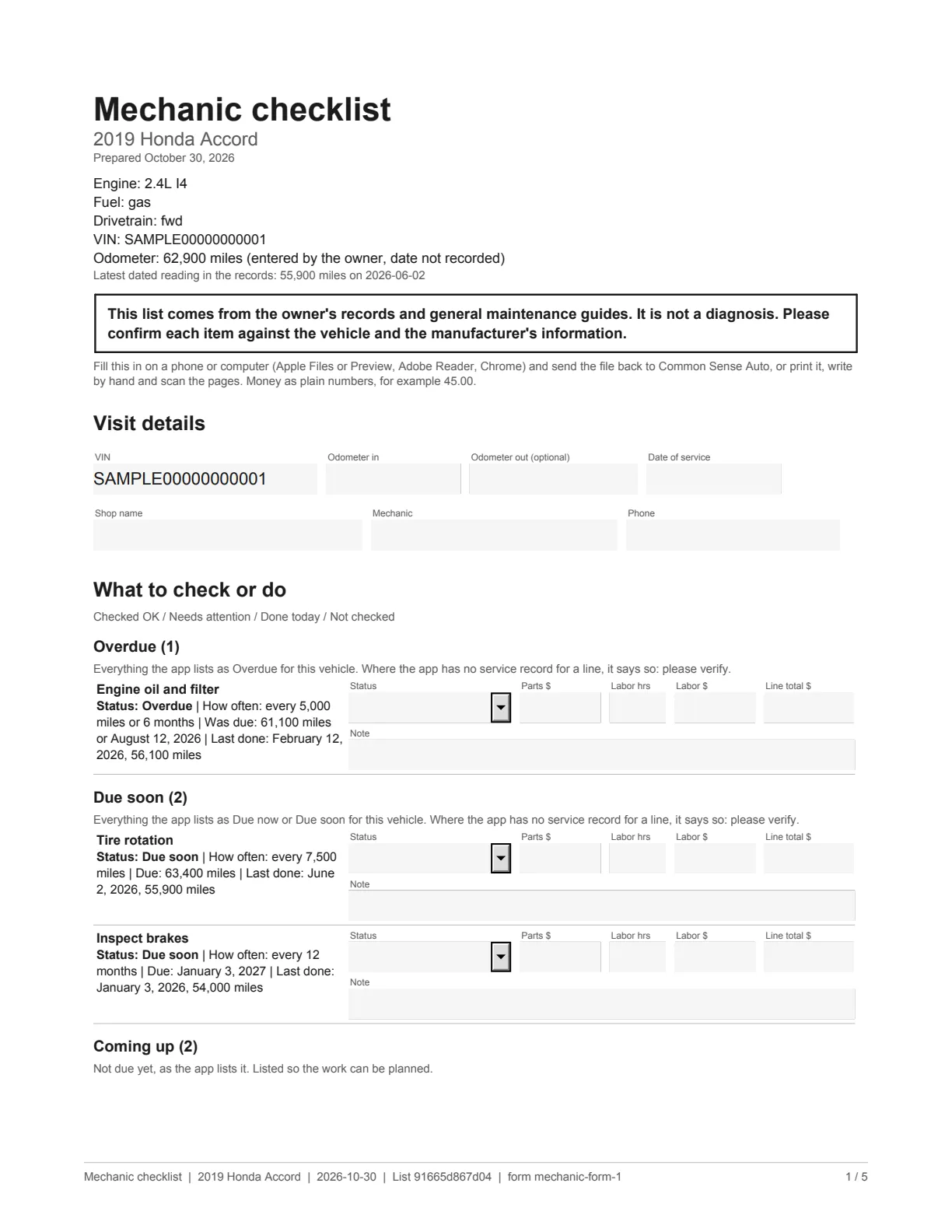
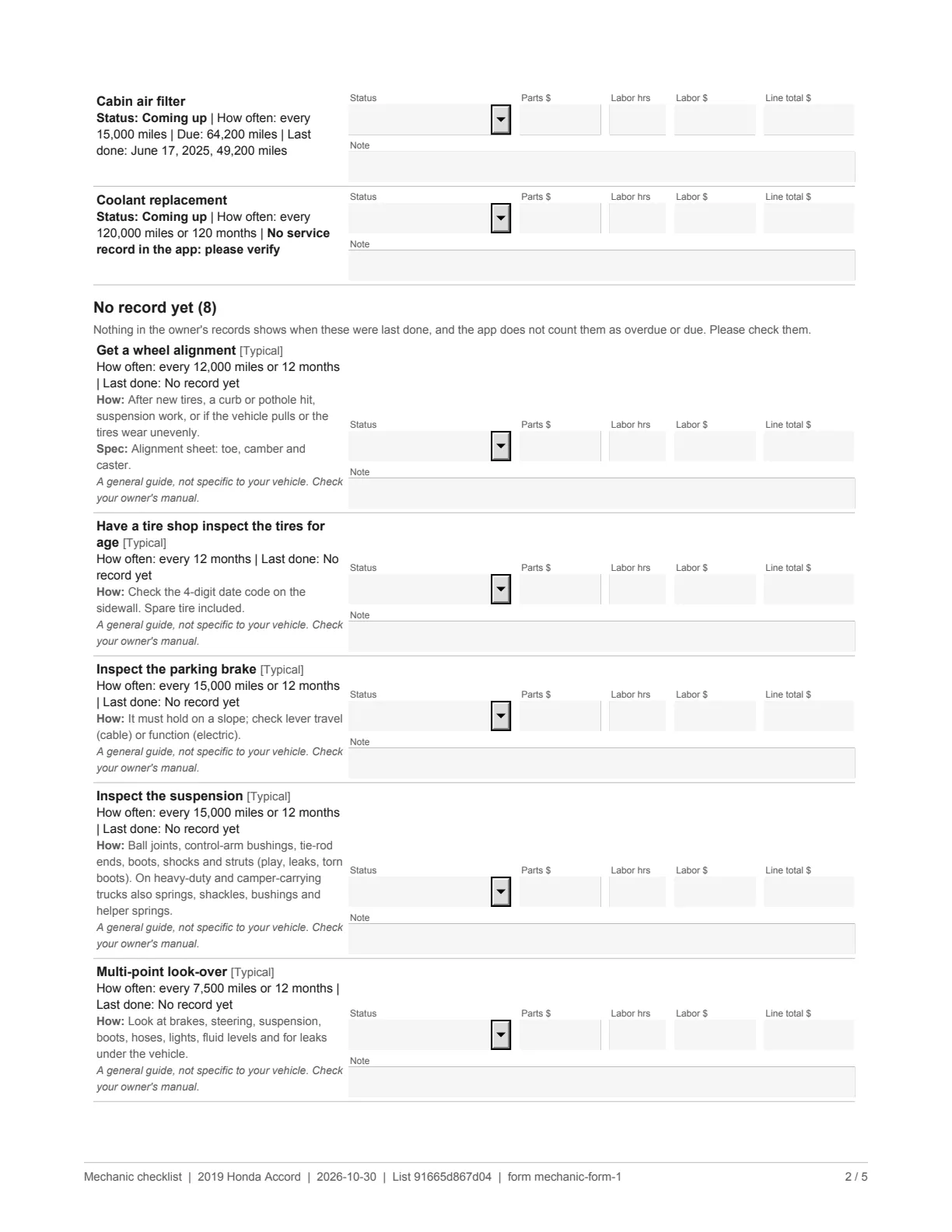
Prefer paper? Use the PDF checklist.
- Tap Mechanic link, then Download PDF.Download PDF is under the QR code. Where Mechanic link isn’t shown, tap the quiet For my mechanic link beside Maintenance.
- Send it, save it or print it.Common Sense Auto makes the checklist and opens your phone’s share sheet. Making it saves nothing to your garage.
- Hand it over.Your mechanic can type into the PDF on a phone or computer, or you can print it and write on it by hand.
Same order as the link: overdue first, then due soon, then coming up. Its cost boxes are left blank for your mechanic, and if nothing is due the app tells you so instead of making an empty list.